
🚀 Getting Started
Welcome to Kurb! We're excited to help you host your virtual garage sale. Follow this guide to set up your shop and start selling in minutes.
1. Create Your Sale
When you first sign in to Kurb, you'll be prompted to create your sale. You'll choose a slug, which becomes your unique URL (e.g., yourname.kurbsale.com).
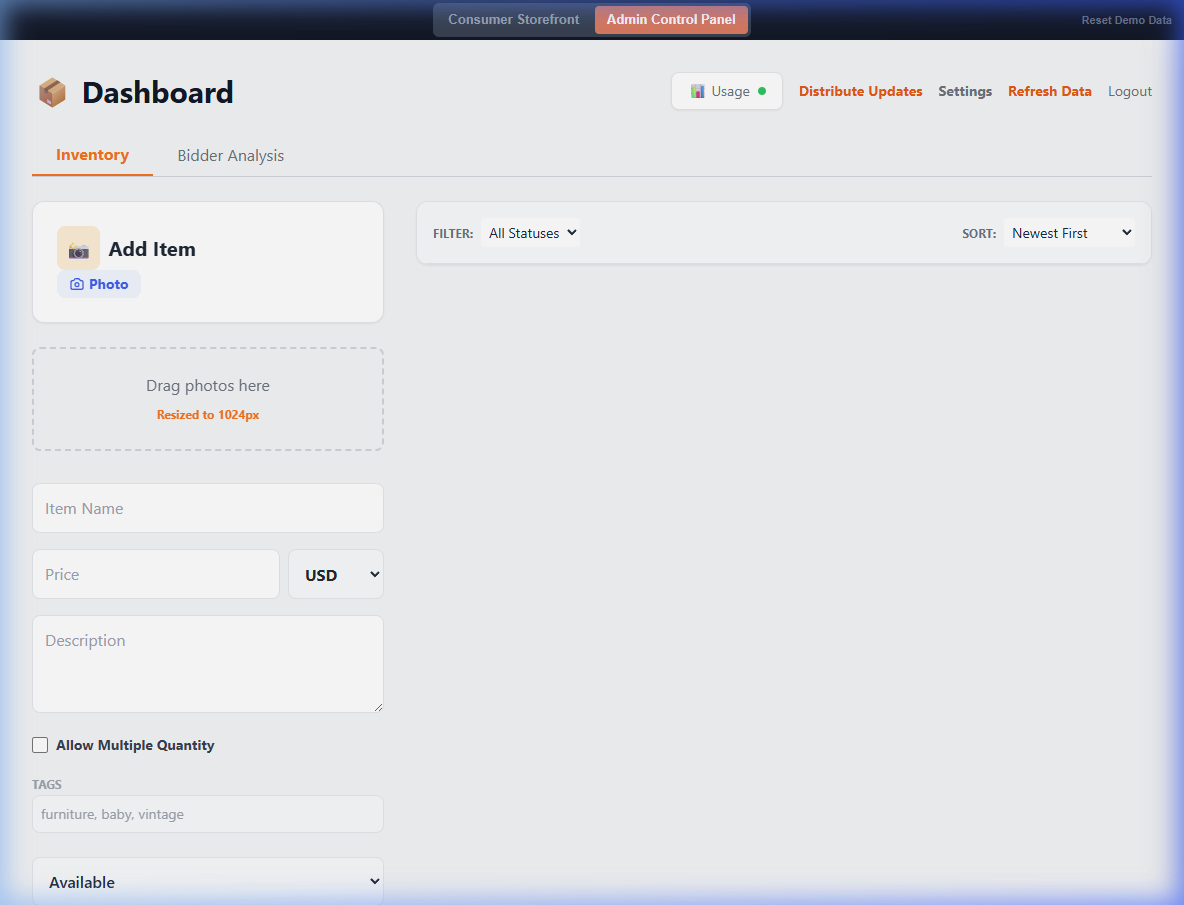
2. Explore the Dashboard
Your dashboard is the command center for your sale. From here, you can:
- Inventory Tab: Add, edit, and manage your items.
- Buyer Analysis: See who's making offers and what they've won.
- Settings: Customize your shop's appearance and billing.
- Usage: Keep an eye on your plan's item and image limits.
3. Understanding Offers
Ready to see what people want? Click the Buyer Analysis tab. Here you can see a list of everyone who has expressed interest in your items, grouped by their email address.
4. Share Your Link
Once you've added a few items, it's time to get the word out! Copy your subdomain URL from the dashboard or your browser's address bar and share it on social media, via text, or email.
Tip: You don't need to wait until every item is added to share your link. Buyers love seeing new items pop up in real-time!