
🎨 Customizing Your Sale
Make your virtual garage sale feel like yours. Use our theme customization tools to change your shop's look and feel in real-time.
Accessing Theme Settings
Click the Settings button in the top-right corner of your dashboard. The "Appearance" tab is where you'll find all the styling options.
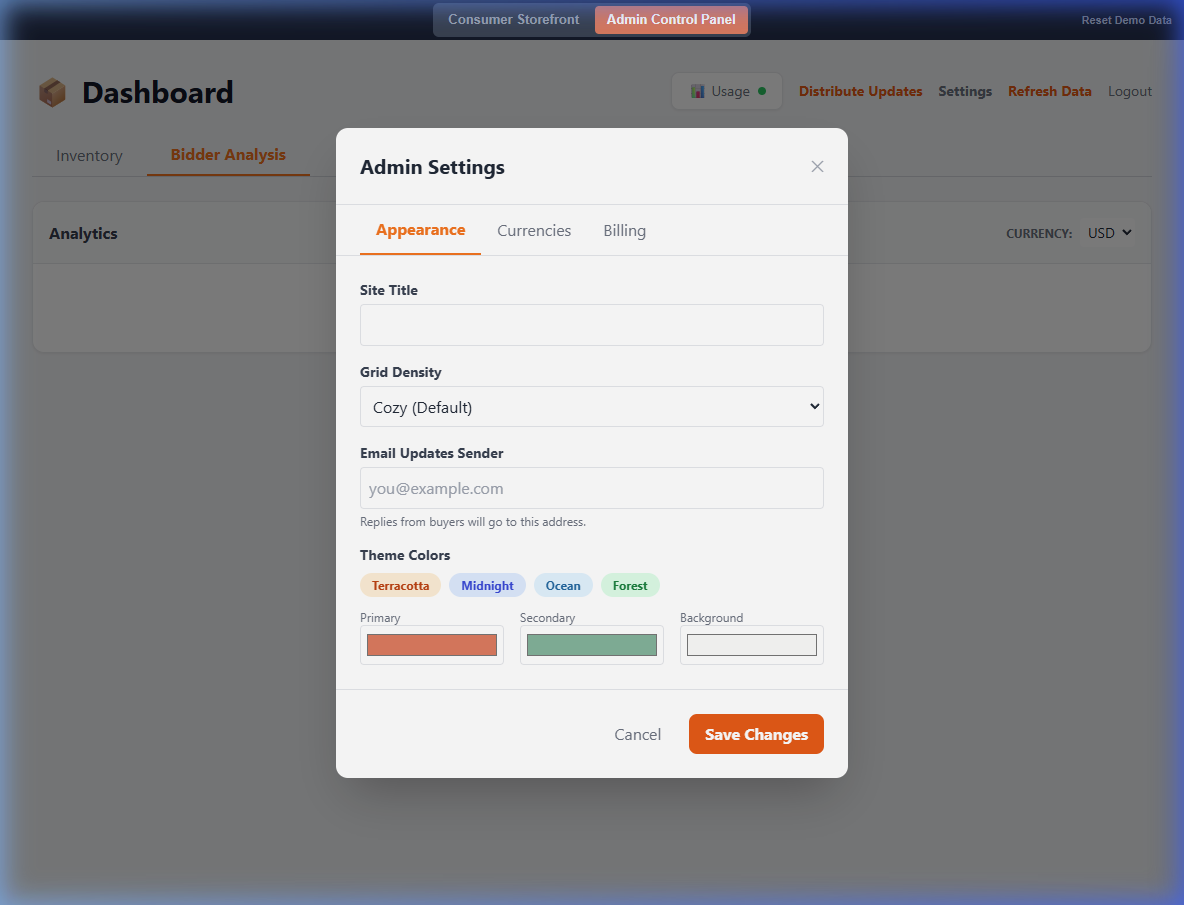
1. Site Title
By default, your shop uses your subdomain as the title. You can change this to something more personal, like "The Miller Family Estate Sale" or "John's Record Collection."
2. Theme Presets
Not a designer? No problem! We've crafted four premium presets to get you started:
- Terracotta: Warm, earthy tones perfect for vintage finds.
- Midnight: A sleek, modern dark mode.
- Ocean: Cool, refreshing blues.
- Forest: Natural, calming greens.
3. Grid Density
Control how your items are displayed to buyers:
- Compact: More items per row, smaller photos. Great for large inventories.
- Cozy (Default): A balanced view that showcases photos well.
- Spacious: Large, beautiful photos. Perfect for high-end items or artwork.
Remember: Don't forget to click Save Changes at the bottom of the modal to apply your new look!